
Google Sheets Inventory Tracker
Google Sheets Inventory Tracker: use an app-style Google Sheets dashboard to add products, record transactions, view current stock and prepare purchase orders.
- Work through a browser
- Add products with guided panels
- Record stock transactions
- See low stock and reorder suggestions
Digital download. The GBP listing price is taken from the supplied Etsy export, not a live checkout quote. Etsy confirms the final price, discounts, tax and currency before payment.
Requires a Google account and Google Sheets. Google Apps Script authorisation may be required during setup. Please read the full software requirements below before purchasing.
Key features of the Google Sheets inventory tracker
Inventory dashboard
Add-product panel
Stock transaction panel
Current-stock view
Low-stock view
Reorder suggestions
Purchase-order creation
Dashboard refresh actions
How it works
How to use the Google Sheets Inventory Tracker
Make a copy and authorise the tool
Add products, suppliers and opening stock
Record transactions and create purchase orders when needed
Ideal for
Who this product is designed for
- Small online sellers
- Remote admin users
- Simple shared stock lists
- Businesses preferring Google Workspace
Reports & outputs
Google Sheets inventory tracker reports
- Dashboard product and stock totals
- Low-stock items
- Inventory value and open purchase orders
What you receive
Files and guidance included
- Google Sheets inventory tool
- Apps Script menu and side panels
- Setup and authorisation guide
- Basic setup support through Etsy messages
- Digital delivery through Etsy; no physical item will be posted
Product demonstration Watch the workflow in action. Loads content from YouTube only when you press the button.Google Sheets Inventory Management Tool Demo | Stock, POs & Reordering
Select any image to open the complete 9-image gallery.See the system before you purchase.
Manage products, stock transactions, purchase orders, receiving, current stock and reports through a modern web-app interface. Best for: Small distributed teams Add products, receive stock, record sales, make adjustments and monitor reorder levels from one Excel workbook. Best for: Online sellersCompare other ToolFlowCo options.
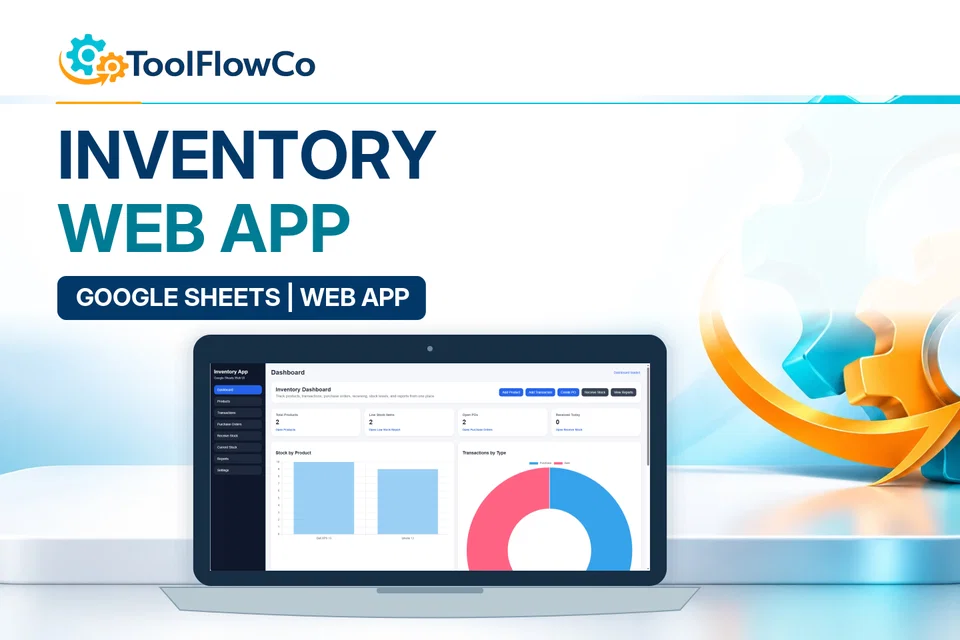
Google Sheets Inventory Web App for Stock, Purchase Orders and Reports
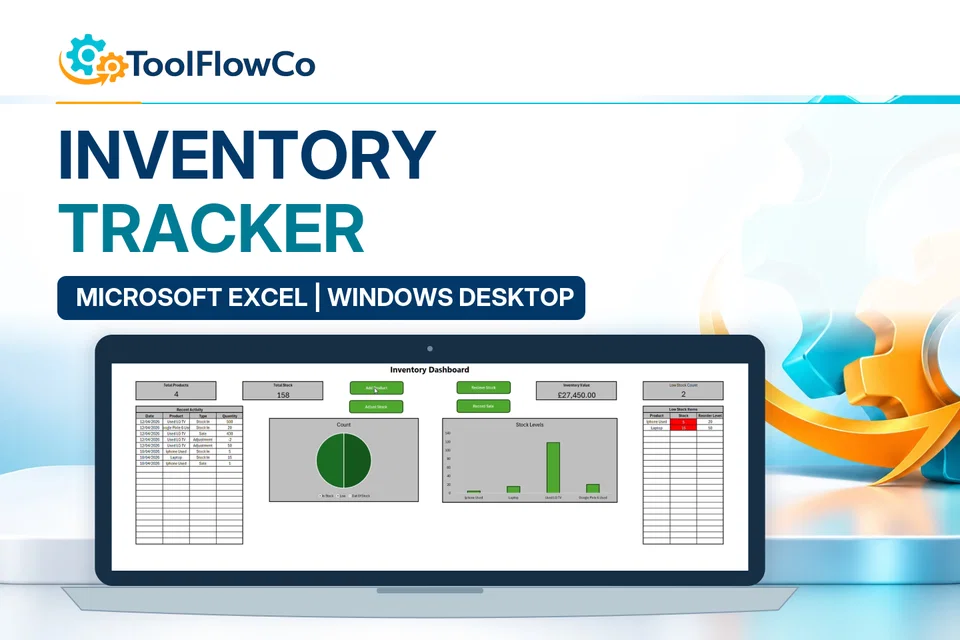
Excel Inventory Tracker with Sales, Stock Movements and Low Stock Alerts
Compare this tool and explore the workflow
Before deciding, compare the workflow and read the relevant guidance: Compare inventory management tools; Google Sheets vs Excel for Inventory: Which Is Better?; How to Track Stock Across Multiple Locations in Excel.
Read the supplied-file list and compatibility section on this page. The Etsy listing and licence govern permitted use and any included support or updates; do not assume ongoing upgrades, customisation or a hosted service are included.Purchase and setup essentials
Google Sheets inventory tracker: practical setup questions
Choose the Google Sheets tool when the supplied spreadsheet dashboard and guided side panels suit the stock task. Prepare product and supplier information before recording the opening stock and later transactions.
What is the difference from the Inventory Web App?
This edition uses Google Sheets with Apps Script menus and panels. The separate web-app product offers a browser interface connected to a Sheets data structure. Compare the actual screens, setup process and features instead of assuming that browser access makes the two editions identical.
How should reorder suggestions be used?
Review low-stock entries alongside recorded balances, supplier information and the work that needs stock. A suggestion helps identify a possible purchase; it is not proof that the records include every movement or that the proposed quantity is commercially appropriate.
What should be checked in a company Google account?
Confirm that copying the supplied files and completing the required Apps Script authorisation are allowed. An organisation can apply restrictions to scripts and access. Establish the actual users and sharing arrangement before treating the tool as a shared operating system.
Platform reference: Google Apps Script authorisation guidance. Platform documentation is separate from this product's supplied requirements and does not add unlisted features.
A first-use check for the Google Sheets inventory tracker
Before moving real stock records into the Google Sheets inventory tracker, use a separate working copy and a small test set. Use these suggested checks to compare the setup, stock movements and outputs with your own expected quantities.
Prepare one clear product record
Choose a sample item with an unambiguous code, description and unit of measure. Note its expected opening quantity separately. Follow the supplied setup and authorisation guidance, and make sure you are editing your own copy rather than the source file.
Follow a receipt and an issue
Using the documented transaction controls, record a small receipt and an issue for that sample item. Compare the resulting balance with the quantity you calculated beforehand. Check the direction of the movements and the item selected before adding more records.
Review stock and purchasing decisions
Review the stock view and any low-stock or reorder suggestion against your sample records. Check the supplier and proposed order details before using an output for a real purchase. A recommendation based on incomplete movements will still need correction at source.
Keep a note of unexpected results and resolve them before entering live inventory. Confirm sharing and user requirements against the supplied guidance.
Review the current listing, supplied files and requirements before purchasing. Ask about any requirement that is not explicitly confirmed. Digital download. The GBP listing price is taken from the supplied Etsy export, not a live checkout quote. Etsy confirms the final price, discounts, tax and currency before payment. Requires a Google account and Google Sheets. Google Apps Script authorisation may be required during setup. Please read the full software requirements below before purchasing.Ready to use Google Sheets Inventory Tracker?