
Inventory and warehouse consultancy
Inventory and warehouse system consultancy
Inventory and warehouse system consultancy helps define products, locations, movements and operational handovers before choosing a ready-made, customised or bespoke system. Begin with the stock process you need to control.
On this page
What the work can include
Inventory and warehouse system consultancy: scope to discuss
- Requirements and workflow review
- Receiving and stock-location design
- Picking, packing and dispatch workflows
- Stock counts and discrepancy handling
- Inventory reporting and controls
This route may fit when
- Stock information is spread across files or paper records.
- Location-level quantities are difficult to trust.
- Receiving, picking or counts need better control.
- An existing ToolFlowCo inventory product needs business-specific changes.
Before work starts
Scope, compatibility and ownership are agreed first.
Requirements
The workflow, users, software and outputs are documented.
Boundaries
Included features and excluded work are made clear.
Review
Testing and revision stages are agreed before delivery.
Related ToolFlowCo work
These are ready-made products and product development accounts, not claims of customer deployment. A custom project needs its own agreed scope.
- Access Warehouse Management SystemReview the receiving-to-dispatch product.
- Warehouse database developmentRead the development account behind the tool.
Prepare a traceable stock example
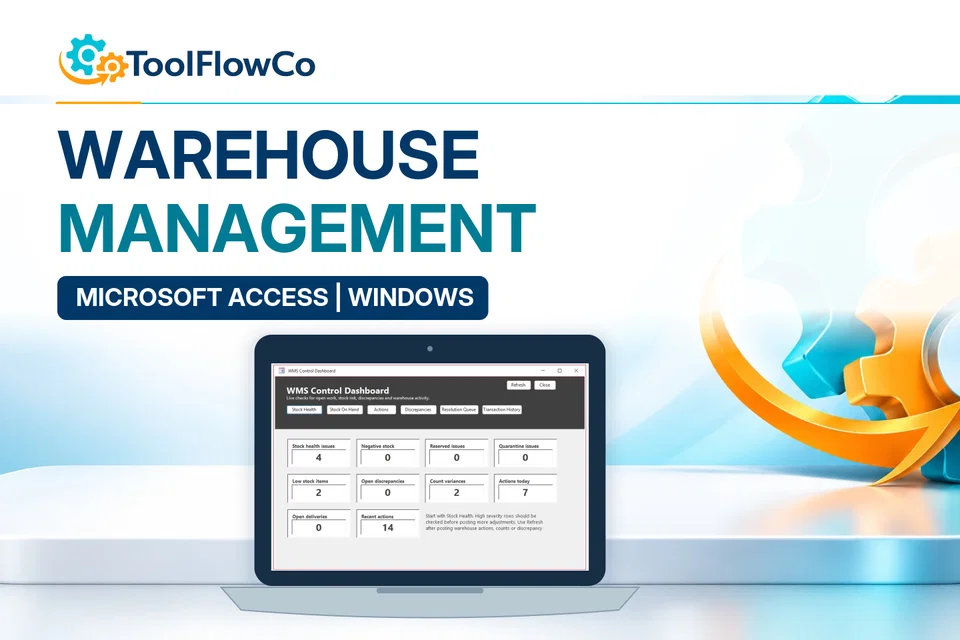
Describe one receipt, one movement and one stock check, including the references needed to trace them. State whether order allocation, picking or reconciliation is also in scope. The inventory checklist can organise those requirements, while Microsoft Access help covers the database platform. The example below is a ToolFlowCo product, not a promised project specification.
Tell ToolFlowCo what you are trying to improve, what software you currently use and what a successful result would look like.Tell ToolFlowCo what you are trying to improve.