
Google Sheets Purchase Order Web App
Google Sheets Purchase Order Web App: manage suppliers and items, build purchase orders, track status and produce a professional printable order document.
- Create purchase orders in a browser
- Manage suppliers and items
- Track draft and issued orders
- Generate a professional order PDF
Digital download. The GBP listing price is taken from the supplied Etsy export, not a live checkout quote. Etsy confirms the final price, discounts, tax and currency before payment.
Requires a Google account, Google Sheets and Apps Script authorisation. Runs through a supported web browser as a connected web app. Please read the full software requirements below before purchasing.
Key features of the Google Sheets purchase order web app
Purchase-order dashboard
Create-new-PO form
Multiple line items
Supplier database
Item database
Order search and status
Company and currency settings
Printable purchase-order output
How it works
How to use the Google Sheets Purchase Order Web App
Connect and authorise the supplied Google Sheet
Add suppliers, items and company details
Create, save and export purchase orders
Ideal for
Who this product is designed for
- Small offices
- Retail purchasing
- Workshops
- Remote procurement administration
Reports & outputs
Google Sheets purchase order web app reports
- Dashboard totals
- Purchase-order list
- Printable purchase-order document
What you receive
Files and guidance included
- Google purchase-order web-app files
- Connected Google Sheets data structure
- Deployment and authorisation guide
- Basic setup support through Etsy messages
- Digital delivery through Etsy; no physical item will be posted
Select any image to open the complete 9-image gallery.See the system before you purchase.
Build purchase orders from supplier and product records, calculate totals, export to PDF and prepare them for email. Best for: Small retailers Turn purchase-order delivery records into a supplier scorecard with clear dashboard metrics and risk ratings. Best for: Procurement teamsCompare other ToolFlowCo options.
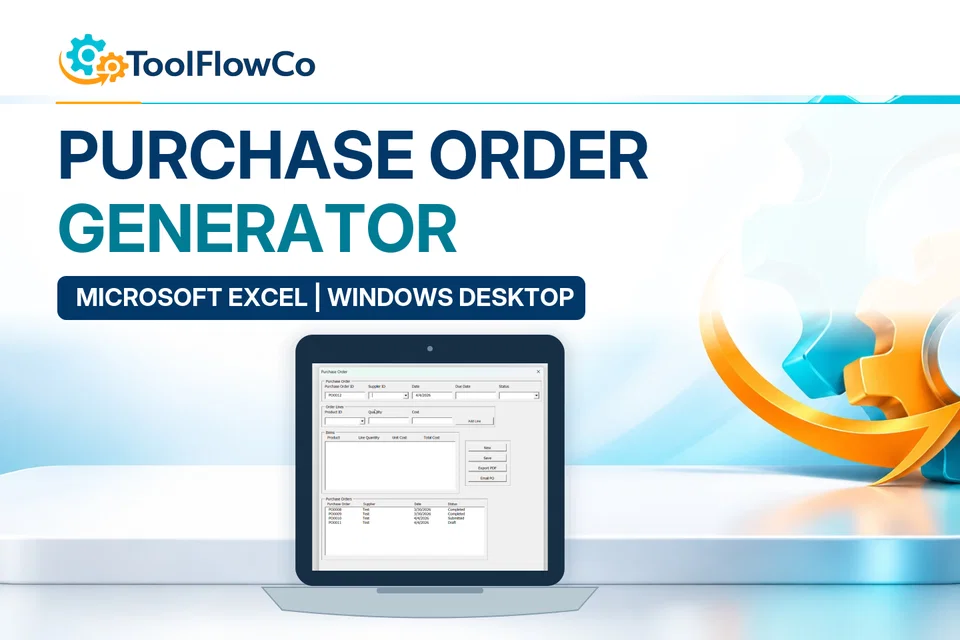
Excel Purchase Order Generator with Suppliers, PDF Export and Email
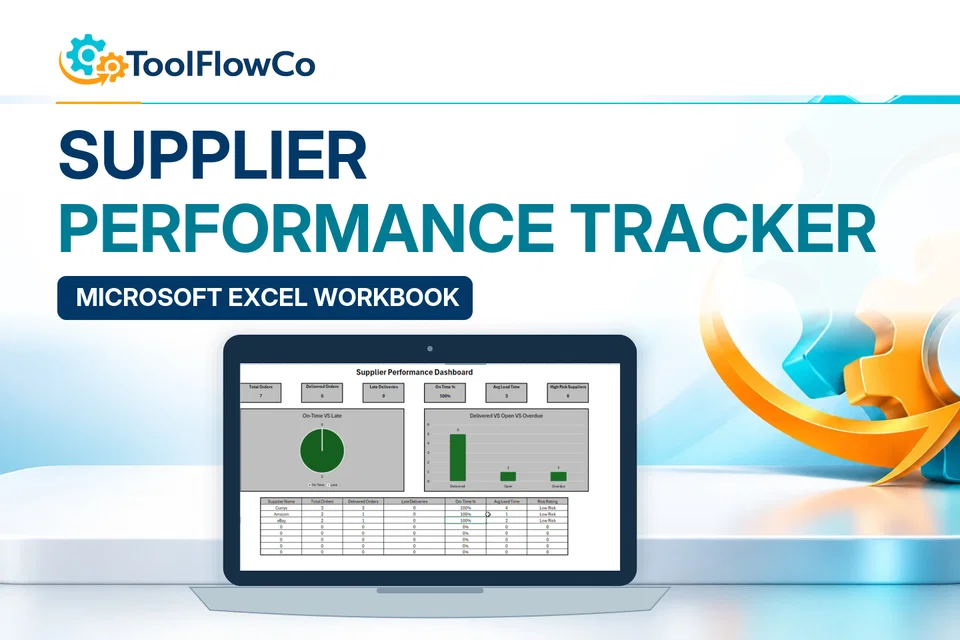
Excel Supplier Performance Tracker with Delivery, Lead Time and Risk Metrics
Compare this tool and explore the workflow
Before deciding, compare the workflow and read the relevant guidance: Business tools for clearer everyday workflows.; How to Create and Track Purchase Orders in Excel.
Read the supplied-file list and compatibility section on this page. The Etsy listing and licence govern permitted use and any included support or updates; do not assume ongoing upgrades, customisation or a hosted service are included.Purchase and setup essentials
Google Sheets purchase order web app: practical setup questions
Prepare the business, supplier and item records before issuing the first order. The supplied browser workflow focuses on purchase-order entry, line items, status and PDF documents connected to Google Sheets.
What should the first order check cover?
Use an illustrative supplier and a few line items to check descriptions, quantities, totals and the resulting PDF. Review company details and currency settings before sharing a live document. Keep the order reference consistent with the records used to follow it up.
Does a purchase order prove receipt or payment?
No. An order communicates what is requested. Your business still needs to check what arrived and what was invoiced or paid. Compare an inventory product when a broader receiving and stock-control workflow is central to the requirement.
What access is required?
Complete the supplied Google Sheets, Apps Script authorisation and deployment steps. Confirm that the intended Google account and organisation permit them. A web-app file package is not the same as an automatically provisioned hosted subscription.
Platform reference: Google Apps Script authorisation guidance. Platform documentation is separate from this product's supplied requirements and does not add unlisted features.
A first-order check for the Google Sheets purchase order web app
Before sending a live order, use the Google Sheets purchase order web app to prepare a clearly marked sample. Review the supplier, items and printable document together, using these suggested first-order checks.
Prepare a small sample order
Follow the supplied deployment instructions, then use a test supplier and a small number of clearly described items. Check the supplier identity, item codes, quantities and any values you have entered. Use invented sample details rather than confidential customer or supplier records.
Review the printable document
Generate the supplied order document and compare it with the on-screen record. Check the order reference, supplier, item descriptions, quantities and displayed totals. Inspect the saved or printed version as well as the browser preview before using it outside your business.
Record the next business action
Check the recorded order status and decide how your business will record supplier acknowledgement, delivery and payment. A purchase order is a request to buy; it is not evidence that goods have arrived or an invoice has been paid. Confirm any integration you need separately.
Retain the sample for comparison when checking your configuration. Resolve unexpected output before issuing live orders, and follow the supplied access guidance before sharing the deployment.
Review the current listing, supplied files and requirements before purchasing. Ask about any requirement that is not explicitly confirmed. Digital download. The GBP listing price is taken from the supplied Etsy export, not a live checkout quote. Etsy confirms the final price, discounts, tax and currency before payment. Requires a Google account, Google Sheets and Apps Script authorisation. Runs through a supported web browser as a connected web app. Please read the full software requirements below before purchasing.Ready to use Google Sheets Purchase Order Web App?