
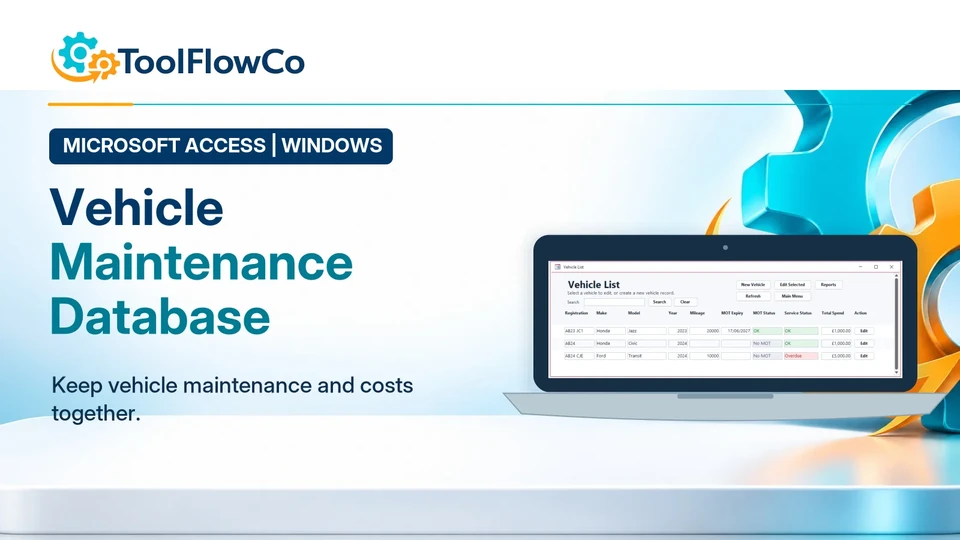
This article describes ToolFlowCo product development and testing. It is not presented as a customer fleet deployment and does not claim measured maintenance, cost or vehicle-availability improvements.
Building a vehicle maintenance database meant keeping each vehicle connected to its service history, due dates, expenses and documents. This article explains how I developed and tested that workflow in Microsoft Access.
A spreadsheet can record a list of vehicles, but the workflow becomes harder to maintain when every vehicle has many MOT records, services, repairs, expenses and documents. Microsoft Access provided a practical way to separate those records while keeping them connected through one vehicle identity.
This Build Story explains how the database was structured, how due-date and history workflows were designed, and where its boundaries sit compared with a larger fleet-management platform.
Why I started building a vehicle maintenance database
Vehicle information is often scattered across calendars, invoices, folders and separate spreadsheets.
That can make simple questions difficult to answer:
- Which MOT or service is due next?
- What work has already been completed on a vehicle?
- How much has been spent on repairs and other expenses?
- What was the mileage at the last service?
- Where are the supporting documents?
- Which vehicle in a small fleet needs attention first?
The database needed to bring those records together without pretending to be a live telematics or route-management platform.
The vehicle record became the centre of the database
Each vehicle has one main record containing the identity and reference information used throughout the system.
Linked records can then store:
- MOT dates and outcomes
- Service history and next-due information
- Repair work and costs
- Mileage readings
- General vehicle expenses
- Supporting documents
This structure avoids forcing every event into one very wide table. It also makes it possible to review a complete history for one vehicle while still producing reports across all vehicles.
MOT and service dates needed clear due logic
A stored date is only useful when the system can show what it means today.
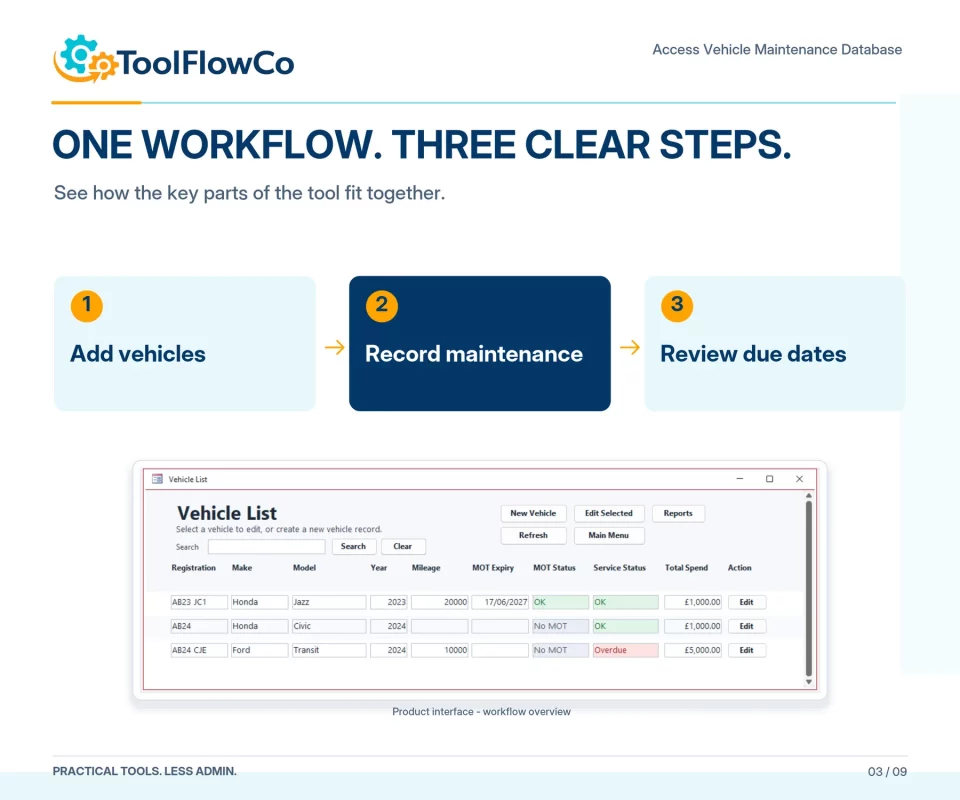
The database therefore uses due-date information to distinguish records that are current, approaching their date or already overdue.
The design needed to handle:
- The latest recorded MOT or service event
- The next expected date
- Vehicles with missing due information
- Reports ordered by urgency
- A consistent definition of due and overdue
Keeping the logic in the database rather than relying on manual colour changes helps the same status appear consistently on forms and reports.
History should explain what happened
A useful maintenance record needs more than a current due date. The history should show what work was completed, when it happened, the mileage and what it cost.
Service, MOT and repair entries were kept as separate related records because they answer different questions. A repair may be unexpected, while a service follows a planned interval and an MOT has its own legal and due-date context.
The vehicle summary can then bring the most important information together without losing the underlying detail.
Expenses needed consistent categories
Vehicle cost reporting becomes unreliable when the same type of spend is described differently each time.
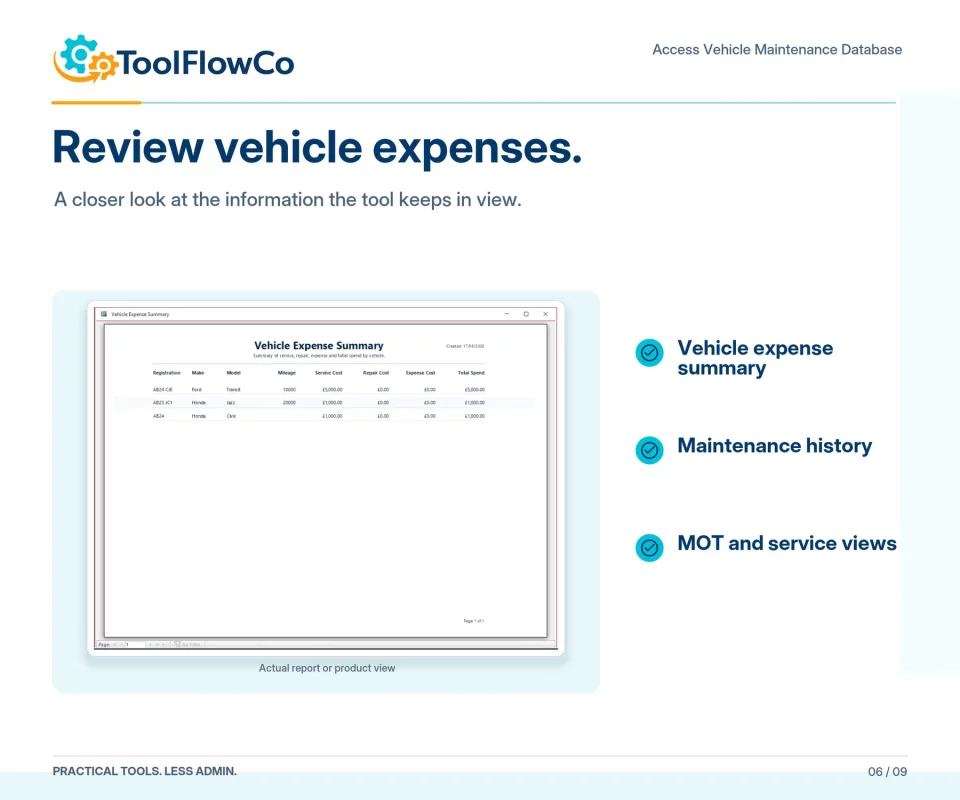
The expense workflow therefore supports consistent categories and dates so users can review totals and compare the types of cost being recorded.
The database is not an accounting system, but it can provide a clearer operational history of the spend associated with each vehicle.
Documents belong with the vehicle record
Supporting files may include invoices, inspection documents, service evidence or other vehicle paperwork.
The database includes a place to associate those records with the correct vehicle so the user does not have to search through unrelated folders without a reference.
Document storage still needs to be managed sensibly. File locations, backups and access permissions remain the responsibility of the business using the database.
Designing for one vehicle and a small fleet
The same structure can support an individual owner with several vehicles or a small business fleet.
For fleet use, the important additions are consistency and comparison:
- Every vehicle needs a reliable identifier.
- Due dates should use the same calculation rules.
- Expense categories should be consistent.
- Reports should highlight the vehicles needing attention.
- History should remain separate for each vehicle.
This is different from a large fleet platform. The database does not provide live GPS tracking, route optimisation, driver telematics, mobile inspections or enterprise integrations.
Multi-user use needs proper planning
Microsoft Access can support more than one user when a database is designed and deployed correctly, commonly by separating the shared data from each user's front end.
However, the correct approach depends on the number of users, network reliability, permissions, backup process and transaction volume.
The ready-made ToolFlowCo database is therefore positioned as a focused desktop maintenance system. A business planning wider multi-user deployment should review that requirement before purchase or discuss a customised implementation.
How I tested the workflow
The database was tested through connected vehicle scenarios rather than only opening individual forms.
- Create several vehicle records with different key dates.
- Add mileage readings and confirm the current value is associated with the right vehicle.
- Record a service and review the next-due information.
- Add an MOT record and check the due report.
- Record an unplanned repair and its cost.
- Add general expenses using consistent categories.
- Attach or reference supporting documents.
- Review the full history for one vehicle.
- Compare due work across all vehicles.
- Check summary and spend reports.
- Test empty records and missing-date conditions.
- Confirm archived or inactive vehicles do not distort the active workflow.
Interface and reporting decisions
The database was designed around forms, searches and reports rather than direct table editing.
The interface needed to make it clear which vehicle was selected before a service, repair or expense was added. Reports then needed to answer practical questions without requiring the user to construct a query manually.
Consistent buttons, readable status labels and clear report names were part of the operational design, not just visual finishing.
Preparing the database for resale
Once the main workflows were stable, the database was reviewed as a reusable ToolFlowCo product.
That preparation included:
- Removing development and test records
- Checking the vehicle, MOT, service, repair, expense and document forms
- Reviewing due-date reports and empty-state behaviour
- Confirming Microsoft Access requirements
- Preparing screenshots, listing information and setup guidance
- Making the scope and limitations clear before purchase
What I learned from the build
The main lesson was that vehicle maintenance is a history problem as well as a reminder problem. A due date tells the user what needs attention next, but linked history explains what happened before and what it cost.
I also learned that small-fleet use depends on consistent structure. Vehicle IDs, dates, mileage and categories need to follow the same rules if reports are going to be useful.
Finally, Access can provide a strong desktop database without becoming the right platform for every fleet. Live integrations, mobile field work and large multi-user requirements may need a different architecture.
Who the database is intended for
The ToolFlowCo Access Vehicle Maintenance Database is intended for vehicle owners, trades, contractors, delivery operations and smaller businesses that want a structured Windows desktop record for maintenance and costs.
It requires Microsoft Access for Windows. Microsoft Access is not included, and the database is not a browser application, mobile app or live tracking service.
Use the ready-made database or discuss a more specific fleet workflow.
The finished database provides the linked vehicle, MOT, service, repair, expense and document structure described in this article. Different reports, fields or deployment requirements can be discussed as a separate Access project.
For general questions about fit and compatibility, use the ToolFlowCo Contact page.
For background on the related-record structure discussed here, see the Microsoft introduction to Access tables.
Put the workflow into practice
Explore the relevant tools.
Compare the product requirements with the approach in this guide.
Microsoft Access
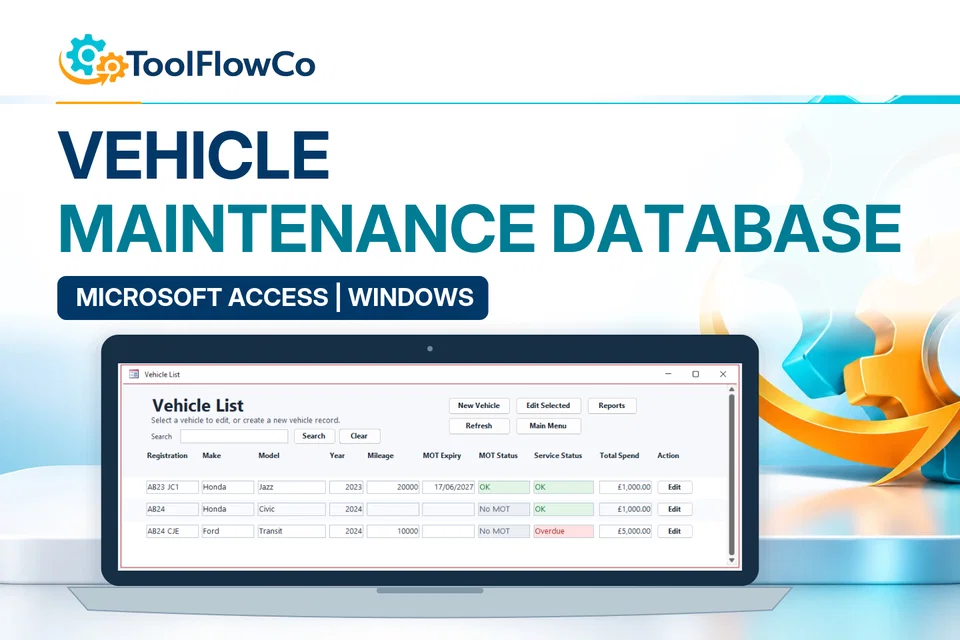
Access Vehicle Maintenance Database
Maintain vehicle details, service history, MOT dates, repair costs, expenses and supporting documents with useful due-date reports.