
Google Sheets Inventory Web App
Google Sheets Inventory Web App: manage products, stock transactions, purchase orders, receiving, current stock and reports through a modern web-app interface.
- Use a clean browser dashboard
- Track products and transactions
- Create and receive purchase orders
- Run low-stock and stock-movement reports
Digital download. The GBP listing price is taken from the supplied Etsy export, not a live checkout quote. Etsy confirms the final price, discounts, tax and currency before payment.
Requires a Google account, Google Sheets and Apps Script authorisation. Runs through a supported web browser as a connected web app. Please read the full software requirements below before purchasing.
Key features of the Google Sheets inventory web app
Browser dashboard
Product management
Stock transactions
Purchase orders
Receive-stock workflow
Current-stock view
Low-stock and stock-movement reports
Business and currency settings
How it works
How to use the Google Sheets Inventory Web App
Connect and authorise the supplied Google Sheet
Add products and record stock activity
Create, receive and report on purchase orders and stock
Ideal for
Who this product is designed for
- Small distributed teams
- Online sellers
- Remote stock administration
- Businesses preferring browser interfaces
Reports & outputs
Google Sheets inventory web app reports
- Low-stock report
- Stock-movement report
- Open purchase-order report
- Current-stock export
What you receive
Files and guidance included
- Google inventory web-app files
- Connected Google Sheets data structure
- Deployment and authorisation guide
- Basic setup support through Etsy messages
- Digital delivery through Etsy; no physical item will be posted
Product demonstration Watch the workflow in action. Loads content from YouTube only when you press the button.Inventory Management Web App Demo | Products, POs, Stock & Reports
Select any image to open the complete 9-image gallery.See the system before you purchase.
Use an app-style Google Sheets dashboard to add products, record transactions, view current stock and prepare purchase orders. Best for: Small online sellers Organise receiving, orders, picking, packing, stock counts, quarantine, discrepancies and warehouse actions in one desktop database. Best for: Small warehousesCompare other ToolFlowCo options.
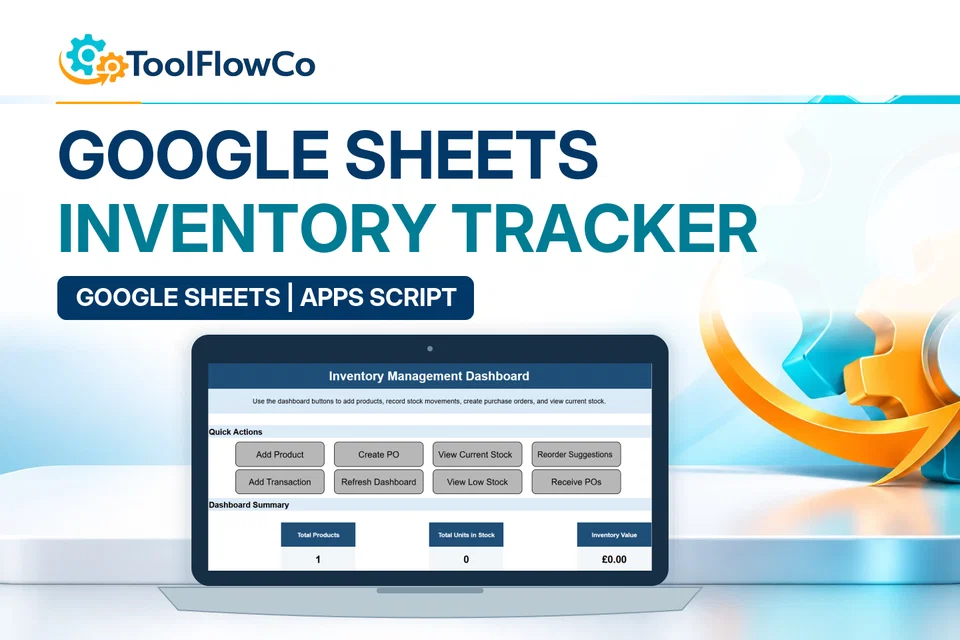
Google Sheets Inventory Tracker with Reorder Alerts and Purchase Orders
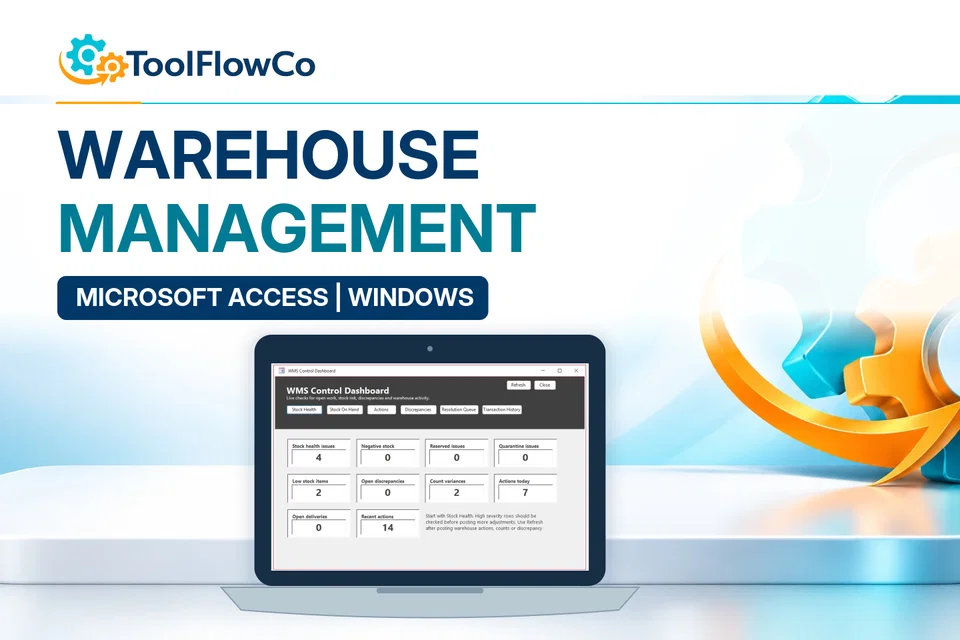
Microsoft Access Warehouse Management System for Receiving, Picking and Packing
Compare this tool and explore the workflow
Before deciding, compare the workflow and read the relevant guidance: Compare inventory management tools; Google Sheets vs Excel for Inventory: Which Is Better?; Inventory Spreadsheet vs Warehouse Management System: Which Is Right for a Small Business?.
Read the supplied-file list and compatibility section on this page. The Etsy listing and licence govern permitted use and any included support or updates; do not assume ongoing upgrades, customisation or a hosted service are included.Purchase and setup essentials
Google Sheets inventory web app: practical setup questions
Choose the web-app edition when you want the supplied browser interface connected to Google Sheets for products, transactions, purchasing and reports. Complete deployment and permissions before loading live records.
How does a purchase order relate to receiving?
The documented workflow includes purchase orders and a receive-stock process. Check a sample order, record the received stock and review the resulting balances and reports. Ordering, receipt and stock movement are related events but should not be treated as interchangeable statuses.
Is a hosted account supplied?
The product describes web-app files, a connected Sheets structure and deployment guidance. It is not advertised as a pre-hosted SaaS subscription. Check who will own the Google files, authorise the script and maintain access before adopting the tool.
What should be tested before sharing it?
Use sample products and transactions to check the deployed interface, low-stock report, movement report and export. Confirm the allowed users and organisation policies. Browser access alone does not establish every simultaneous-use or permission requirement.
Platform reference: Google Apps Script authorisation guidance. Platform documentation is separate from this product's supplied requirements and does not add unlisted features.
A first-use check for the Google Sheets inventory web app
Use a small, clearly labelled test set when setting up the Google Sheets inventory web app. The following checks help you review the deployment, stock records and outputs before entering live business data.
Confirm the intended deployment
Follow the supplied deployment guidance and open the resulting app with the account that will use it. Check that the displayed records belong to the intended spreadsheet. Do not copy confidential business information into a trial deployment.
Keep ordering and receiving distinct
Create a sample purchase order with one item and a quantity you can reconcile by hand. Review its supplier, item and status. Then follow the documented receiving process and compare the recorded receipt with the resulting stock balance; an order alone is not evidence of a delivery.
Check outputs and intended access
Review the sample stock movement and relevant report against your notes. Test the agreed access arrangement before sharing the app URL. A successful test by its owner does not, by itself, establish that another user has the right access or that concurrent use is supported.
Keep the results with your setup notes. Resolve any differences before moving live records into the deployment, and confirm the intended users and access arrangement against the supplied documentation.
Review the current listing, supplied files and requirements before purchasing. Ask about any requirement that is not explicitly confirmed. Digital download. The GBP listing price is taken from the supplied Etsy export, not a live checkout quote. Etsy confirms the final price, discounts, tax and currency before payment. Requires a Google account, Google Sheets and Apps Script authorisation. Runs through a supported web browser as a connected web app. Please read the full software requirements below before purchasing.Ready to use Google Sheets Inventory Web App?