
Workshop and service systems
Workshop system customisation
Workshop system customisation starts with the customer, job, parts and invoicing records behind the work. Describe what needs to change in a workshop, repair, maintenance or service workflow before agreeing a project scope.
On this page
What the work can include
Workshop system customisation: scope to discuss
- Customer, asset and job workflows
- Quotes, jobs, invoices and payments
- Parts, stock and job costing
- Maintenance schedules and overdue work
- Workshop dashboards, searches and reports
This route may fit when
- Customer and job information is split across several files.
- Parts and labour are not consistently linked to jobs.
- Maintenance dates or overdue work are difficult to monitor.
- A ready-made ToolFlowCo workshop product needs specific changes.
Before work starts
Scope, compatibility and ownership are agreed first.
Requirements
The workflow, users, software and outputs are documented.
Boundaries
Included features and excluded work are made clear.
Review
Testing and revision stages are agreed before delivery.
Related ToolFlowCo work
These are ready-made products and product development accounts, not claims of customer deployment. A custom project needs its own agreed scope.
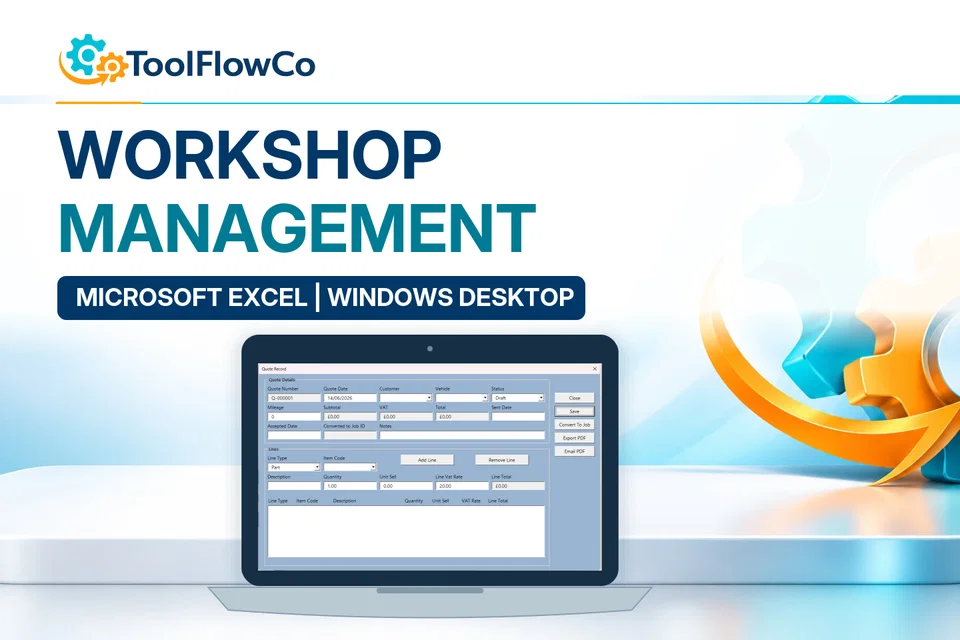
- Excel Workshop Management SystemInspect the ready-made workshop tool.
- Workshop software development processRead the development account behind the workbook.
Prepare a sample workshop job
Describe how the customer, job, parts, invoice and payment records relate in your current process. Use anonymised examples and identify which step is causing difficulty. Microsoft Excel help covers the spreadsheet platform. The example below shows existing ToolFlowCo work; customisation and acceptance requirements must be agreed for the individual project.
Tell ToolFlowCo what you are trying to improve, what software you currently use and what a successful result would look like.Tell ToolFlowCo what you are trying to improve.