
Google Sheets Workshop Web App for Jobs and Invoices
Google Sheets Workshop Web App for Jobs and Invoices: create workshop jobs through a modern web interface connected to Google Sheets, with linked customer, vehicle, stock and payment records.
- Manage workshop jobs online
- Link customers and vehicles
- Track parts used and stock
- Record payments and create invoices
Digital download. The GBP listing price is taken from the supplied Etsy export, not a live checkout quote. Etsy confirms the final price, discounts, tax and currency before payment.
Requires a Google account, Google Sheets and Apps Script authorisation. Runs through a supported web browser as a connected web app. Please read the full software requirements below before purchasing.
Key features of the Google Sheets workshop web app
Workshop dashboard
New-job form
Customer database
Vehicle database
Stock database
Parts allocation
Payments and invoicing
Business and document settings
How it works
How to use the Google Sheets Workshop Web App
Connect and authorise the supplied Google Sheet
Add customers, vehicles, stock and workshop jobs
Complete work, record payment and produce the invoice
Ideal for
Who this product is designed for
- Independent garages
- Mobile mechanics
- Vehicle repair shops
- Teams preferring Google Workspace
Reports & outputs
Google Sheets workshop web app reports
- Open, ready and completed job totals
- Unpaid work totals
- Customer, vehicle and stock lists
What you receive
Files and guidance included
- Google workshop web-app files
- Connected Google Sheets data structure
- Deployment and authorisation guide
- Basic setup support through Etsy messages
- Digital delivery through Etsy; no physical item will be posted
Select any image to open the complete 9-image gallery.See the system before you purchase.
Run a complete workshop workflow from one Excel dashboard, including jobs, vehicle records, stock, purchasing and invoicing. Best for: Independent garagesCompare other ToolFlowCo options.
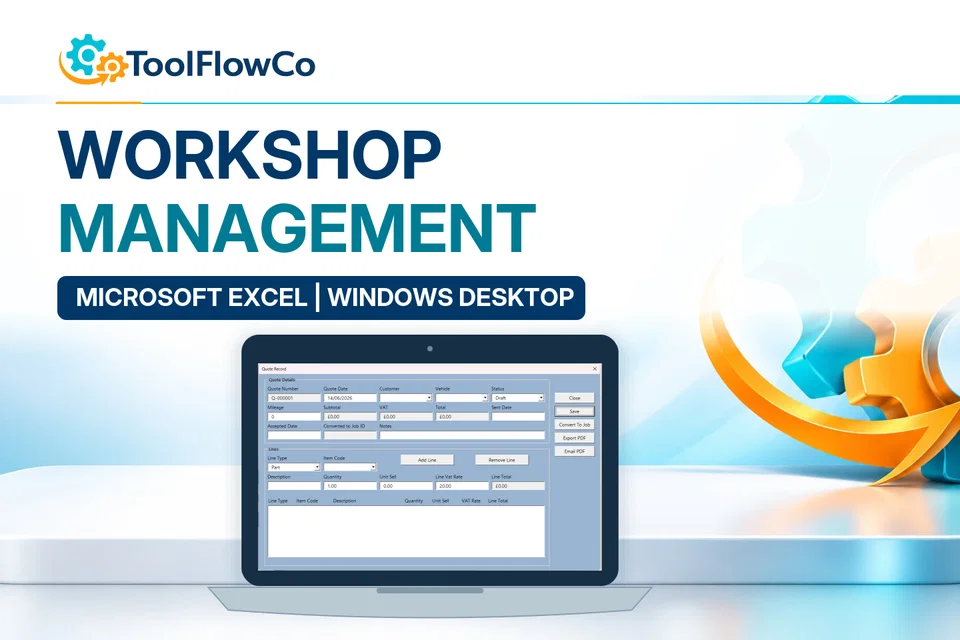
Excel Workshop Management System for Jobs, Stock and Invoices
Compare this tool and explore the workflow
Before deciding, compare the workflow and read the relevant guidance: Compare workshop and garage management tools; Workshop Management Spreadsheet: What Does a Small Garage Actually Need?; How to Set Up a Parts Inventory for a Workshop.
Read the supplied-file list and compatibility section on this page. The Etsy listing and licence govern permitted use and any included support or updates; do not assume ongoing upgrades, customisation or a hosted service are included.Purchase and setup essentials
Google Sheets workshop web app: practical setup questions
Choose the browser-based workshop workflow when the supplied job-card and invoice process fits the garage. Establish the Google file ownership and deployment steps before entering customer or vehicle information.
What should a sample job demonstrate?
Use illustrative customer, vehicle and work details to follow a job card through the documented stages and review the invoice output. Check the entered labour and parts details against the resulting paperwork rather than assuming a saved record is automatically correct.
How does it compare with the Excel Workshop system?
Compare the published features and screens as well as the platform. The Excel Workshop system includes a documented stock and supplier-purchasing workflow. Similar workshop names do not mean every feature is shared by the Google web-app edition.
Is it ready without Google setup?
The supplied deployment and authorisation steps must be completed. Check the Google account, allowed users and script policies before purchase. Browser access does not remove setup responsibility or establish support for every mobile device and organisation configuration.
Platform reference: Google Apps Script authorisation guidance. Platform documentation is separate from this product's supplied requirements and does not add unlisted features.
Try one job in the Google Sheets workshop web app
Use a clearly labelled sample job to check the Google Sheets workshop web app after completing the supplied deployment steps. This exercise follows the existing job-card, stock, payment and invoice workflow. It does not assume that the browser edition includes the purchasing features of the separate Excel product.
Check ownership before entering details
Confirm which Google account owns the copied files and which deployed address you are opening. Follow the supplied authorisation instructions, then use fictitious customer and vehicle details for the sample. A successful page load does not by itself confirm the intended permissions for other users.
Trace the job and its parts
Add a sample job and note its customer and vehicle references. Use a small quantity of a sample stock item when following the documented parts-allocation workflow. Check that the job details and stock information remain consistent. Do not introduce live customer information merely to test an unfamiliar deployment.
Review the invoice and payment separately
Produce the sample invoice using the supplied process. Compare the customer, vehicle, work and parts details with the saved job. Record a clearly labelled sample payment only where instructed by the guide, then review the job and unpaid-work views. An invoice total and a recorded payment answer different questions; check both rather than assuming that completed work has been paid.
Keep the sample results and any questions alongside the setup guide. Resolve discrepancies before everyday use, and confirm the intended users and account restrictions without making the deployment public just to bypass a setup problem.
Review the current listing, supplied files and requirements before purchasing. Ask about any requirement that is not explicitly confirmed. Digital download. The GBP listing price is taken from the supplied Etsy export, not a live checkout quote. Etsy confirms the final price, discounts, tax and currency before payment. Requires a Google account, Google Sheets and Apps Script authorisation. Runs through a supported web browser as a connected web app. Please read the full software requirements below before purchasing.Ready to use Google Sheets Workshop Web App?